How to set up your WallyPilot account in 5 minutes
Welcome to WallyPilot! 🎉
You're about to join thousands of successful Walmart sellers who use WallyPilot to discover profitable keywords and track their rankings. This guide will get you set up and ready to find your first winning keywords in just 5 minutes.
By the end of this guide, you'll have a fully configured account and be ready to start your first keyword research.
Before You Start
Make sure you have these items ready to speed up your setup:
- Valid email address - You'll need this for account verification
- Business information - Company name, website (optional)
- First product idea - Think of a product you want to research keywords for
- 5 minutes of focused time - No interruptions for the best experience
Step-by-Step Account Creation
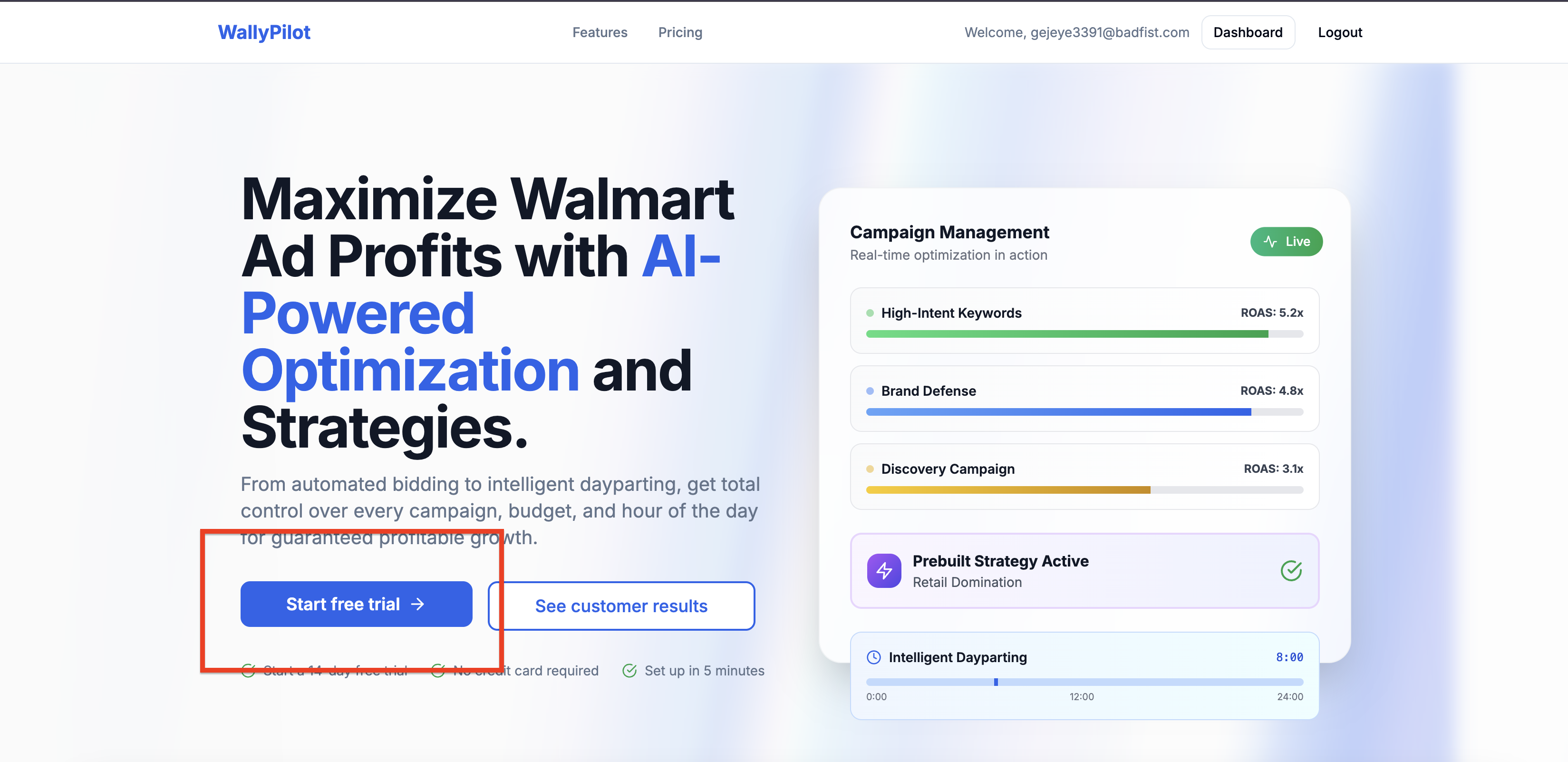
Step 1: Visit the Signup Page
- 1. Go to wallypilot.com and click the "Start free trial" button
- 2. You'll be redirected to our secure signup form
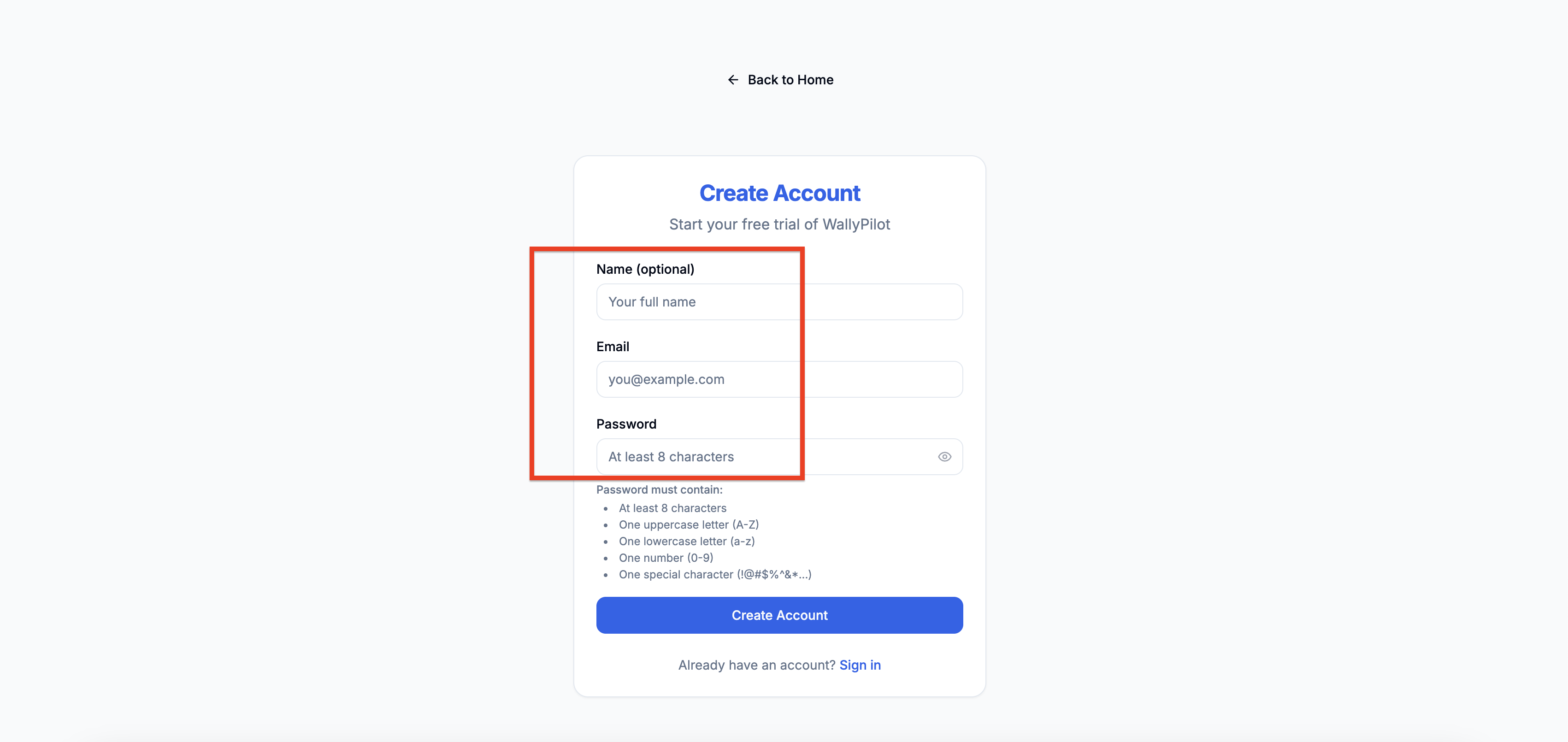
Step 2: Enter Your Information
- 1. Email address - Use your primary business email
- 2. Password - Create a strong password (8+ characters)
- 3. Company name - Your business or brand name
- 4. First name and Last name
- 5. Click "Create Account"
Step 3: Verify Your Email
- 1. Check your email inbox for a message from WallyPilot
- 2. Click the "Verify Email" button in the email
- 3. You'll be redirected back to WallyPilot to complete setup
💡 Tip: Check your spam folder if you don't see the email within 2 minutes.
Step 4: Complete Your Profile
- 1. Choose your business type (Seller, Brand, Agency, etc.)
- 2. Select your experience level with Walmart advertising
- 3. Optionally add your website URL
- 4. Click "Complete Setup"
Initial Configuration Steps
Step 5: Take the Dashboard Tour
When you first log in, you'll see a quick tour of the main features:
- • Keyword Research - Where you'll discover profitable keywords
- • Rank Tracking - Monitor your product rankings over time
- • Campaigns - Organize your research and tracking
- • Reports - View your performance data

Step 6: Set Your Preferences
- 1. Click on your profile icon in the top right
- 2. Select "Settings"
- 3. Configure your preferences:
- • Time zone
- • Email notification preferences
- • Default currency (USD recommended for Walmart)
- 4. Click "Save Settings"
Verification & Testing
Let's make sure everything is working correctly:
Test Dashboard Access: Navigate between different sections to ensure all pages load correctly
Check Your Plan: Go to Billing to confirm your trial is active and see your current limits
Verify Email Notifications: Check that you received the welcome email and setup confirmation
🎯 What's Next?
Congratulations! Your account is ready. Here are your recommended next steps:
Immediate Actions (Next 10 minutes)
- • Do your first keyword research
- • Explore the dashboard features
- • Read our keyword metrics guide
This Week Goals
- • Research 3-5 different product keywords
- • Set up rank tracking for your main products
- • Join our email tips series
Common Setup Issues
❓ I didn't receive the verification email
- • Check your spam/junk folder
- • Wait 5 minutes and check again
- • Try clicking "Resend verification email"
- • Contact support if still no email after 10 minutes
❓ I can't access certain features
- • Ensure your email is verified
- • Check your subscription status in Billing
- • Try logging out and back in
- • Clear your browser cache if issues persist
❓ The dashboard looks different than expected
- • Make sure you're using a modern browser (Chrome, Firefox, Safari)
- • Try refreshing the page
- • Disable browser extensions temporarily
- • Check if your screen resolution is supported
Getting Help
We're here to help you succeed! If you run into any issues during setup: